Bills
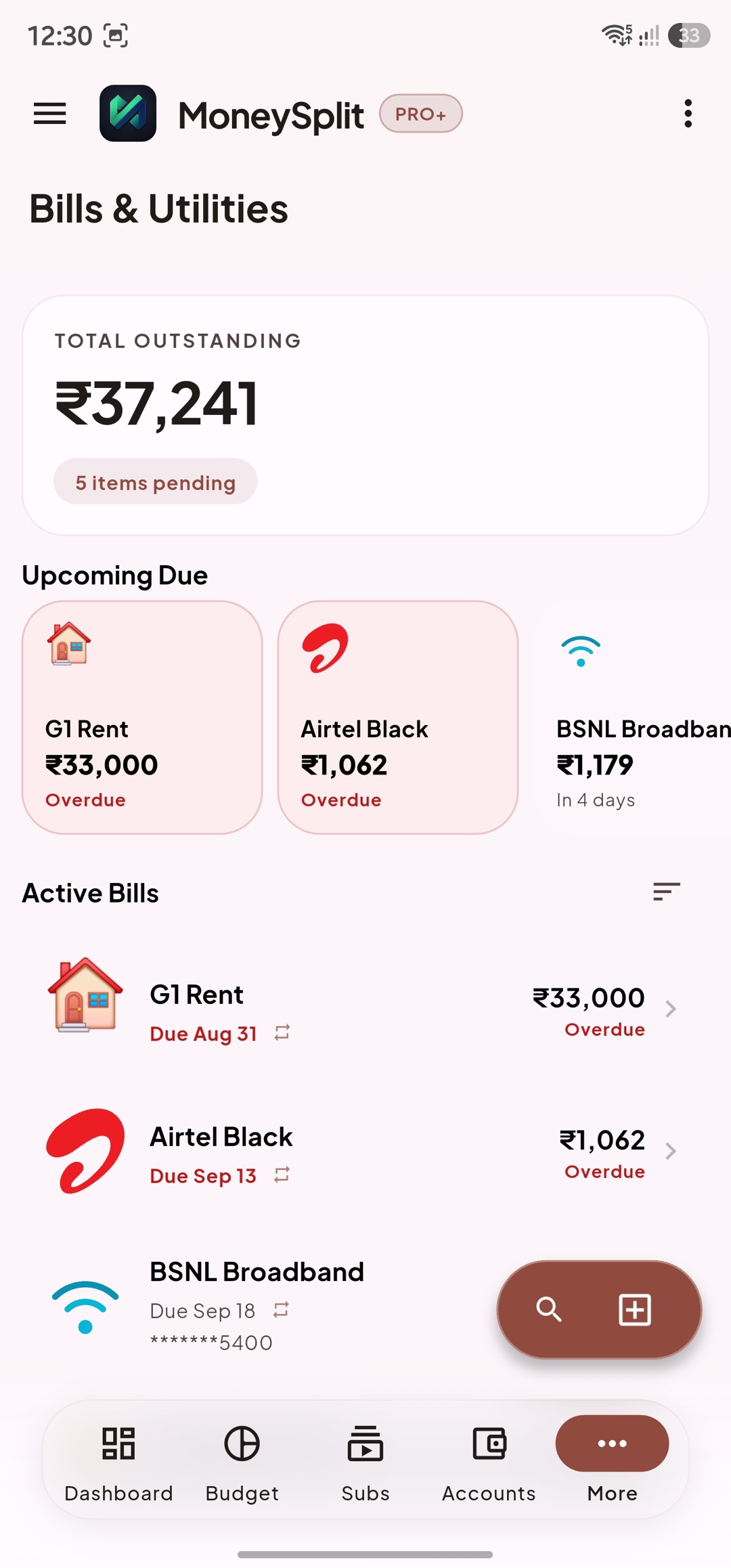
Bills Overview
Section titled “Bills Overview”Bills tracks recurring and periodic obligations like utilities, school fees, service charges, and other payables.
Use Bills overview to:
- See what is due soon.
- Prioritize payment sequence.
- Catch missed entries before they become overdue.
- Open detail or edit quickly.
Good routine:
- Check upcoming window regularly.
- Confirm due dates and amounts are still accurate.
- Resolve overdue items immediately.
Bill Detail
Section titled “Bill Detail”Bill Detail is the single source for one bill’s schedule and behavior.
Verify here:
- Biller identity and bill type.
- Amount expectations (fixed vs variable patterns).
- Due date and reminder context.
- Linked transaction evidence.
Use detail when:
- A bill amount changes unexpectedly.
- You need to adjust reminders.
- A payment was made but not reflected in planning.
Add or Edit Bill
Section titled “Add or Edit Bill”Use Add/Edit to model real obligations accurately.
Core fields:
- Biller name
- Due cadence/date
- Amount or expected amount behavior
- Optional notes and context
Setup checklist:
- Name biller clearly and consistently.
- Set realistic due schedule.
- Enter expected amount baseline.
- Save and validate appearance in Upcoming.
Editing tips:
- Update due date when provider shifts billing cycle.
- Keep one canonical bill record per obligation.
Link Payments
Section titled “Link Payments”Linking payments connects bill obligations with real payment transactions.
Before confirming a match, check:
- Date is within expected window.
- Amount is correct (or variation explained).
- Correct biller and account context.
- No duplicate transaction pairing.
If no match is found:
- Expand date range slightly.
- Check merchant label variation.
- Confirm payment came from a different account.
- Keep it unlinked until confidence is sufficient.
Why this matters:
- Better payment tracking accuracy.
- Better overdue prediction quality.
- Cleaner obligation history for future planning.